GR User Forum

The spot for all Ricoh GR camera users

Register for free, meet other Ricoh GR users, share your images, help others, have fun!

Tell your friends about us!

Couple of newbie questions

socket

New Member
Joined
Oct 15, 2008
Messages
287
I'm playing around with SILKYPIX and so far so good. I don't find it particularly hard to use, although I'm just faffing around with it and doing nothing complicated. The initial image quality does seem to be better than RAWTHERAPEE which I also downloaded.

I do have a couple of quick questions:

1) what are the best settings to use to get a good 'internet ready' JPEG?
2) I took a few indoor pictures which, because of the lighting and setting, are displayed in SILKYPIX with a lot of browns and warm colours, yet when I 'develop' them they turn out very bleached out and gray. Whereas, RAWTHERAPEE seems to be a lot more representative of the final JPEG colours. Why isn't SILKYPIX displaying it the same way? (Everything is at default.)
 
Hi socket,

As for 1) I would suggest you to set the JPEG compression around 95% and max image size 1204x768 for horizontally oriented and 675x900 for vertically oriented photos. This should allow to view the images without the need to scroll them on most of modern laptops (well, maybe not netbooks with their smaller screens and resolutions). You will have to experiment with unsharp mask settings. I'm afraid, there is no default rule how to sharp the output images with USM.

As for 2) it sounds to me as if you export the images with Adobe RGB color space? Are you sure the SP color space is set to sRGB? Can you post an example of "gray" output?
 
Thanks for the JPEG settings - I was reducing the quality of the JPEG output instead of reducing the size of the image - I expect that the results aren't as good!

I looked at my settings in SILKYPIX and under display settings, COLOR MANAGEMENT, I found that 'Enable display color management' was enabled. When I uncheck it, the picture is representative of the final output.

The question is, I prefer the image with color management on! :D

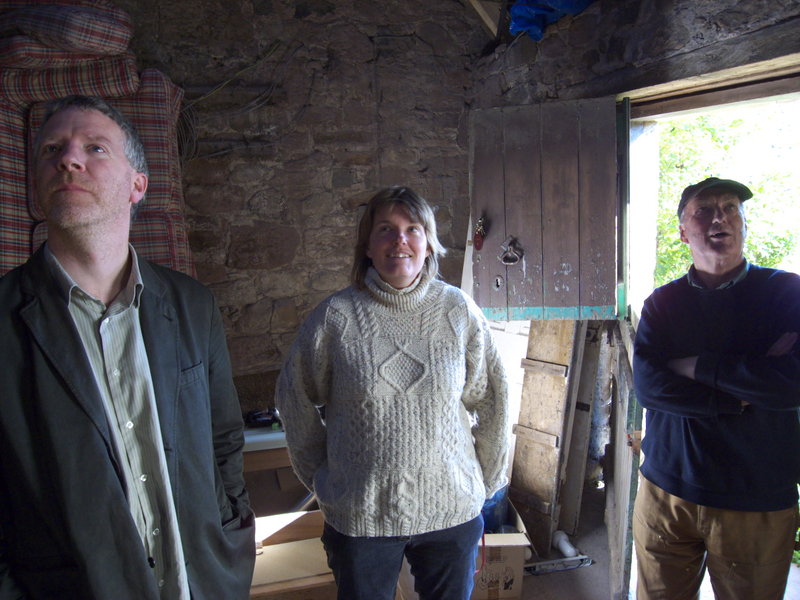
Attached is a picture taken in an old village smithy, which is being renovated (into someone's living room!).
 

Attachments

  • AssessingTheWork.jpg
    AssessingTheWork.jpg
    467.9 KB · Views: 635
Thanks Odklizec, you've been very helpful!

I'm going to get on with sorting through my 400 odd pictures and posting a few here... :)
 
I'm always comparing the processed RAW image to the camera's JPEGS and by doing so, I'm noticing a few things. :geek:

So ... after processing over 500 pictures I've realized:

1) I don't like the STANDARD colour default (I find it too heavy handed) and DNG STANDARD is much better, on screen at least. Is there a way to default to this colour on entry to SilkyPix?

2) I've dialed down my exposure -.3EV in my shots and I think I should bump up shots by 30 in SilkyPix. Is there any real relationship, or is this just to taste?

The batch processing in v4 is very useful if you are changing only one variable (saves a lot of waiting around). I may still go with PRO because of the background batch processing though - much more convenient.
 
Back
Top